
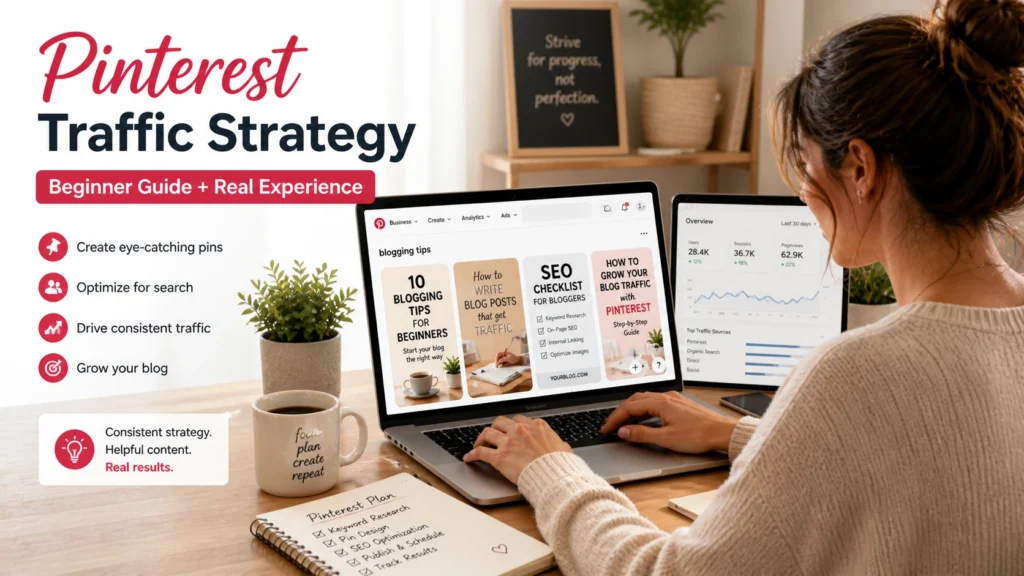

This article helps beginners understand how to use Pinterest to drive blog traffic with a practical, step-by-step strategy based on real experience, not just theory.
Introduction: I Thought Pinterest Was Just for Recipes
When I first heard people say, “Use Pinterest for blog traffic,” I honestly didn’t take it seriously. In my mind, Pinterest was just a platform for recipes, home décor ideas, fashion inspiration, and wedding planning. It never crossed my mind that it could become one of the most powerful traffic sources for a blog.
At that time, I was depending only on Google SEO. I was writing blog posts regularly and waiting for traffic, but growth was very slow. Some articles took months to rank, and sometimes they did not rank at all. That’s when I started looking for another traffic source. Many bloggers kept talking about Pinterest, so I decided to test it. To be honest, my beginning was not good.
I created random pins, posted without strategy, and expected quick traffic. Nothing happened. Very few impressions, almost no clicks, and I felt like Pinterest was a waste of time. But instead of quitting, I started learning how Pinterest actually works. That changed everything.
Slowly, Pinterest started bringing visitors to my blog. Some blog posts that had no Google traffic started getting clicks from Pinterest. That was the moment I understood:
👉 Pinterest is not social media. It is a visual search engine.
And if you use the right Pinterest Traffic Strategy, it can become a powerful traffic source for your blog.
In this guide, I’ll share exactly what worked for me, what mistakes I made, and how beginners can use Pinterest the right way.
What is Pinterest Traffic Strategy?
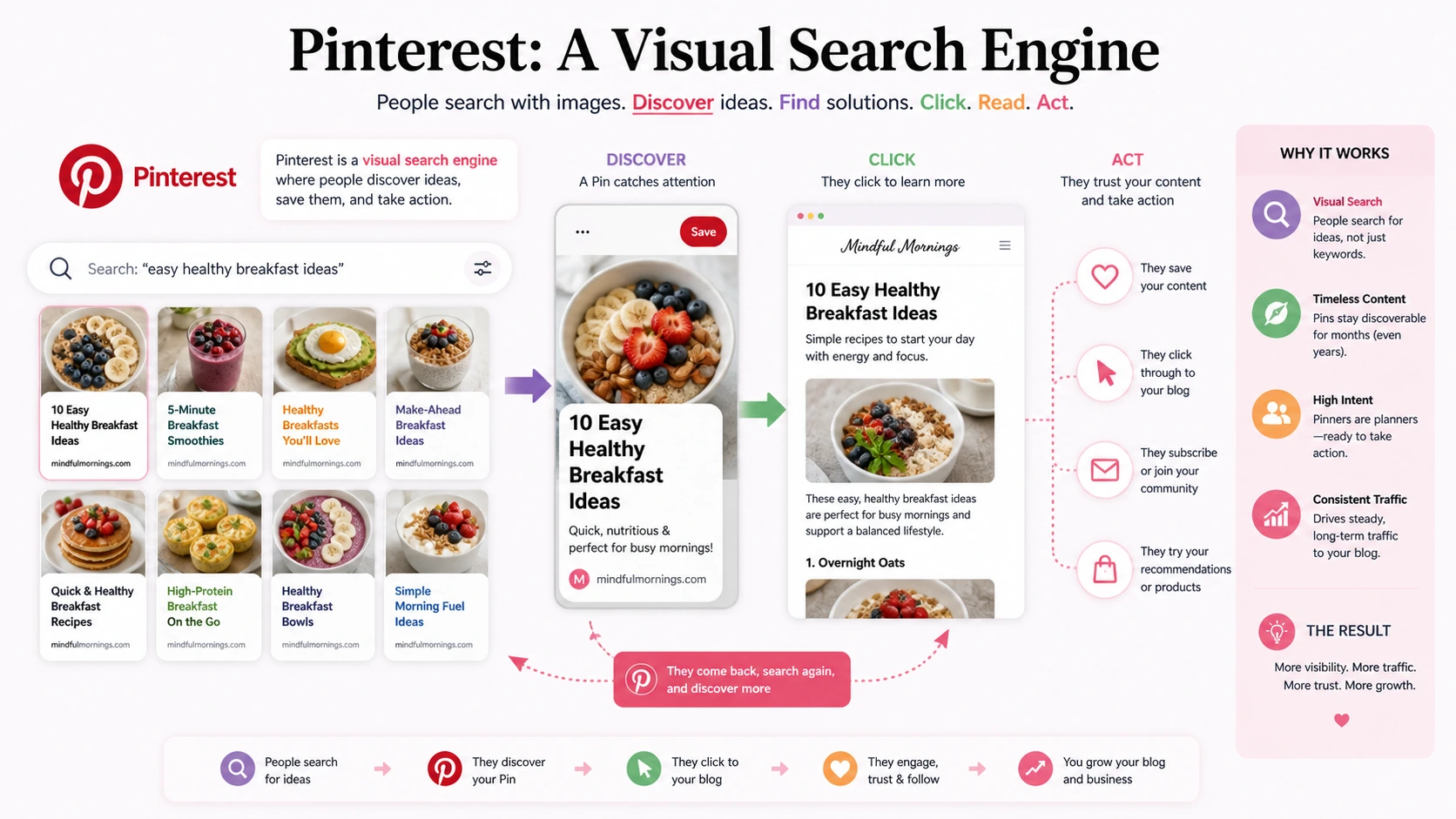
Pinterest Traffic Strategy simply means using Pinterest in a smart and planned way to bring people from Pinterest to your blog. It’s not just about posting pretty images and hoping something works. It’s about understanding how Pinterest works and creating content that people are already searching for.
Think of it like this:
Google is where people type and search using text.
Pinterest is where people search using ideas and visuals.
When someone goes to Pinterest, they are usually looking for something specific—maybe blogging tips, workout plans, recipes, or ways to make money online. If your content matches what they are searching for, your pin shows up. And if your pin looks interesting, they click and visit your blog. That’s the whole idea behind a Pinterest Traffic Strategy.
Another important thing is that Pinterest is not like Instagram or Facebook. Your posts don’t disappear quickly. A good pin can keep getting views and clicks for a long time—sometimes even months or years. That’s why many bloggers use Pinterest. It keeps working even when you’re not actively posting every day.
Pinterest Traffic Strategy is about:
- Creating helpful content
- Using the right keywords
- Designing pins that people want to click
- staying consistent
It’s not complicated, but it does require patience. Once it starts working, it can bring steady traffic to your blog without depending only on Google.
Why I Started Using Pinterest for My Blog
The main reason I started using Pinterest Traffic Strategy was very simple: 👉 I needed traffic.
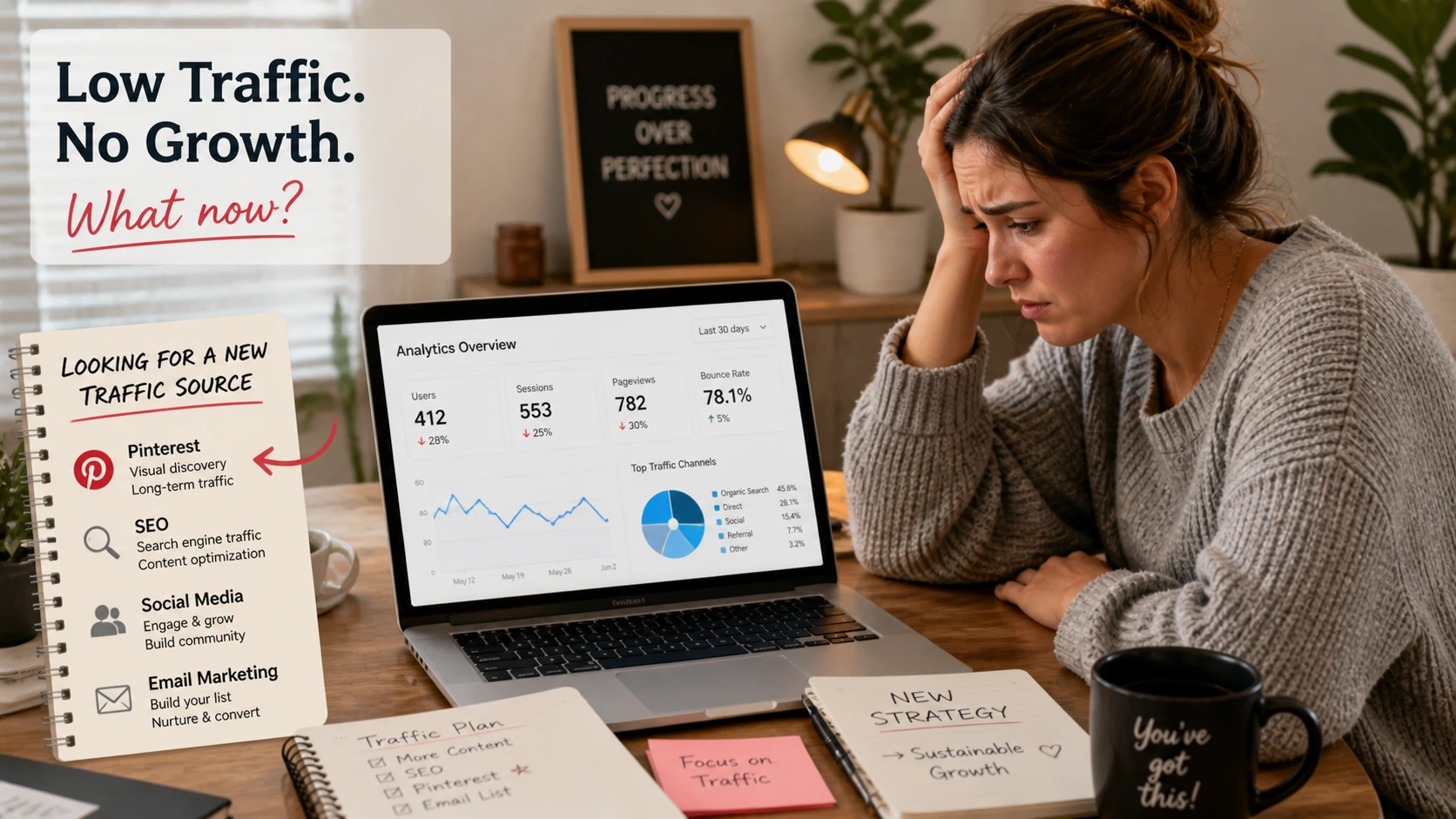
When I began blogging, I was depending only on Google. I was writing articles, trying to do SEO, and waiting for results. But honestly, the growth was very slow.
Some days, I would open my dashboard and see almost no visitors. I kept checking Google Search Console again and again, hoping for clicks, but nothing much was happening. It felt frustrating, especially after putting in so much effort. I knew I needed another way to bring people to my blog. That’s when I kept hearing about Pinterest.
At first, I didn’t take it seriously. Like many beginners, I thought Pinterest was just for recipes and design ideas. But since so many bloggers were talking about it, I decided to give it a try.
What attracted me the most was this:
- It was completely free
- I didn’t need to run ads
- My pins could bring traffic for a long time
- And I could promote my old blog posts again
This felt different from Google.
With Google, I had to wait for rankings. But with Pinterest, I could actually take action and promote my content immediately. That gave me a sense of control.
Even when I started getting a few clicks from Pinterest, it felt exciting. It showed me that people were actually finding my content and visiting my blog. It wasn’t fast in the beginning, but it was something and that “something” was enough to keep me going.
That’s why I decided to take Pinterest seriously and learn the right Pinterest Traffic Strategy instead of treating it like just another social media platform.
My Biggest Mistakes in the Beginning
When I first started using a Pinterest Traffic Strategy, I made a lot of mistakes and honestly, most of them came from not understanding how Pinterest actually works. If I had known these earlier, I would have saved a lot of time and frustration.
Mistake 1: Posting Random Pins Without Keyword Research
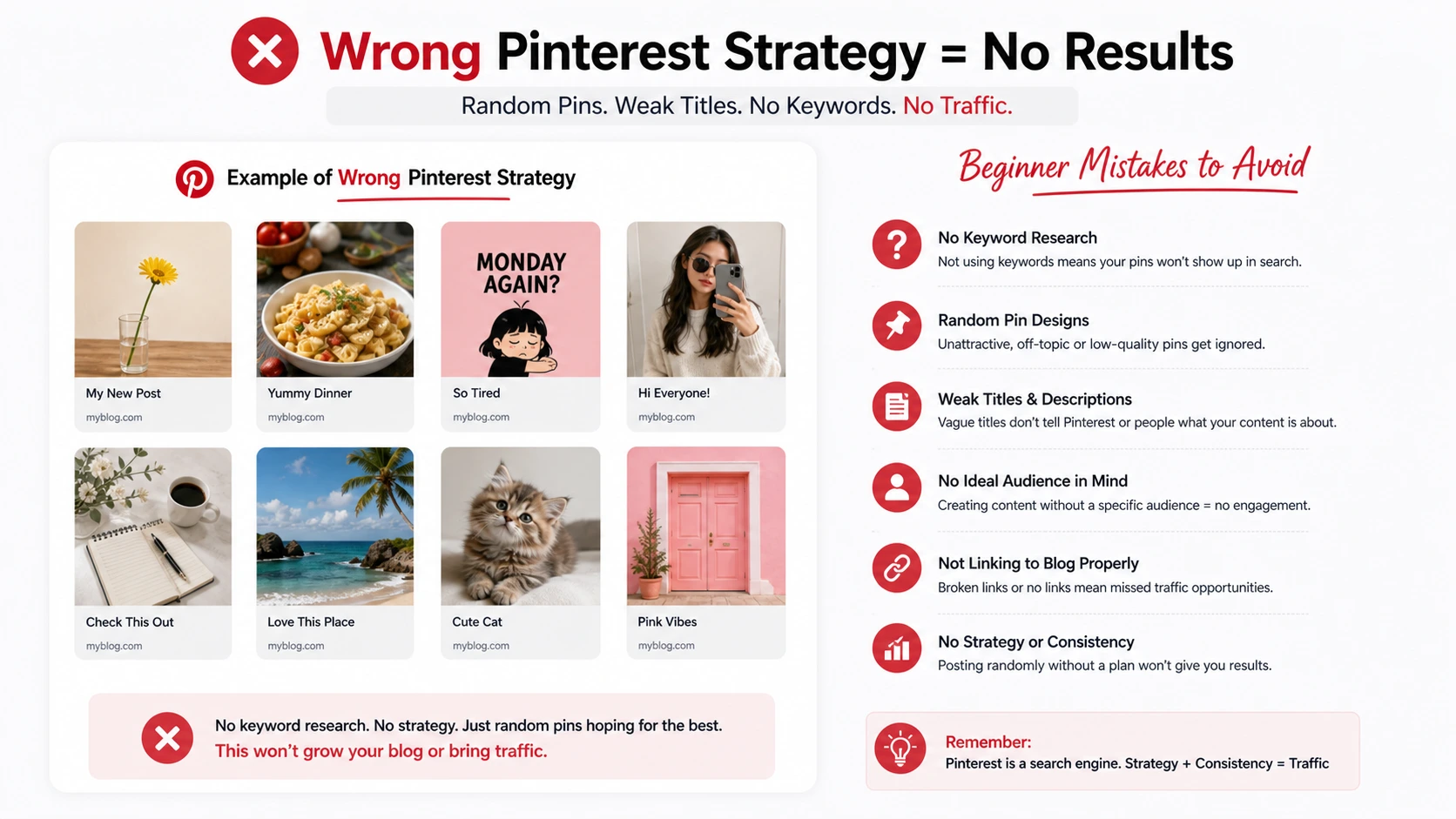
In the beginning, I honestly thought Pinterest was just about making pretty images that look good. So I focused only on design. I would open Canva, create attractive pins, and post them without thinking too much. No keyword research, no planning—just random ideas that I thought looked nice and for a while, I didn’t understand why nothing was working.
The problem was simple, but I didn’t see it at the time. Pinterest is not just a design platform. It is a search engine. That means people are not just scrolling randomly—they are actively searching for specific topics and ideas.
So when I wasn’t using the right keywords in my pin titles and descriptions, my content wasn’t showing up in search at all. It was basically invisible, even if the design looked good.
That’s when it hit me—good design alone is not enough. If your pin doesn’t match what people are searching for, Pinterest has no reason to push it forward. After realizing this, I changed my approach completely.
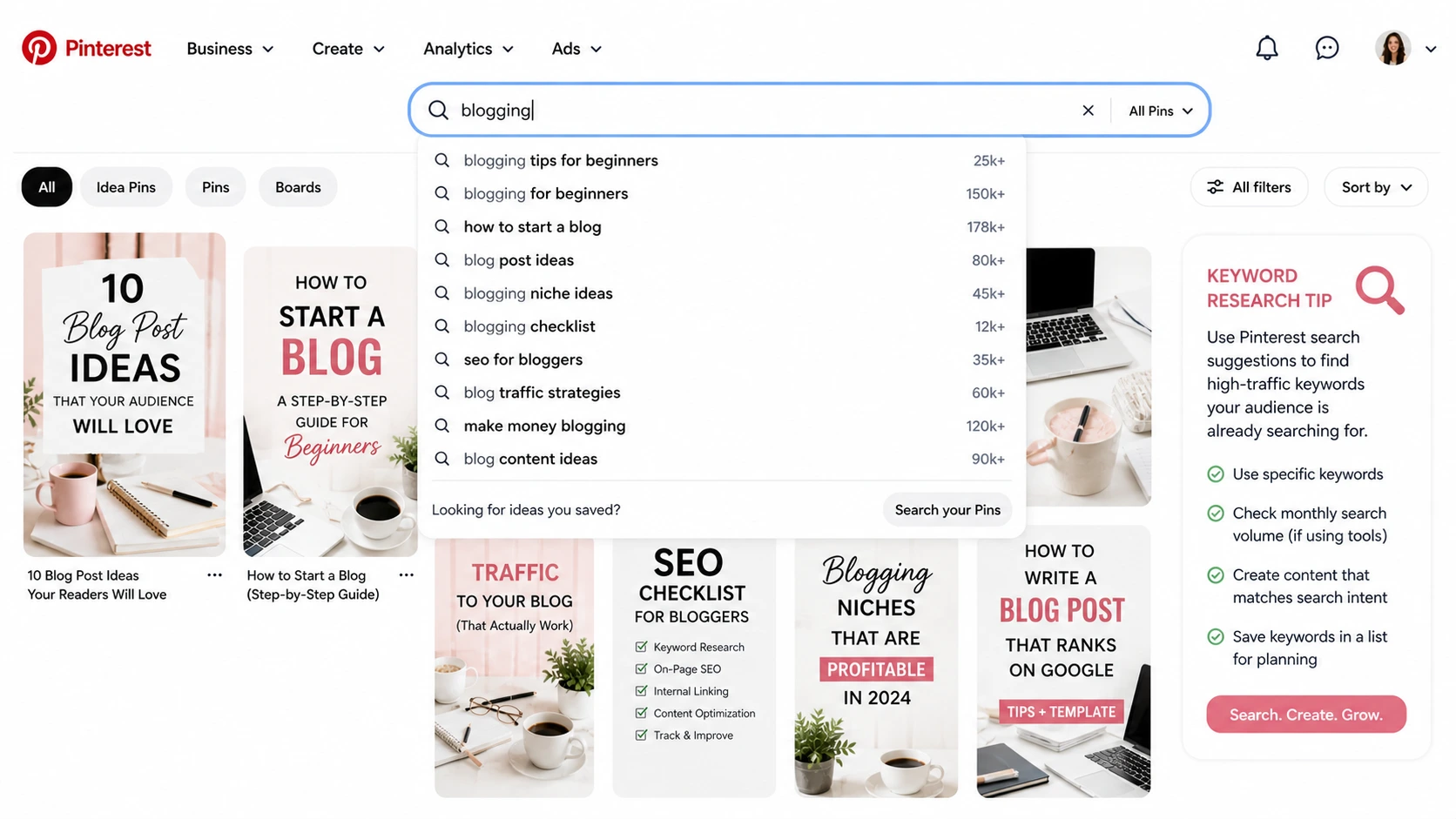
Now I always start with keyword research before creating any pin. I simply type my topic into Pinterest and look at the suggestions that appear. Those suggestions tell me exactly what people are searching for.
It’s simple, but it makes a huge difference. Once I started using the right keywords, my pins finally began to get impressions and reach the right audience.
Mistake 2: Using Weak Pin Titles
Another big mistake I made in the beginning was using very weak pin titles. At that time, I didn’t think much about titles. I assumed that as long as the pin looked good, people would click on it. So I used simple, boring titles like “Blogging Tips” or “Make Money Online.” The problem was, these titles were too broad. They didn’t say anything clear. They could mean anything, and they didn’t give people a strong reason to click.
When I look back now, I understand why those pins didn’t perform well. There was nothing specific about them. They didn’t match what people were actually searching for, and they didn’t create curiosity either.
Later, I started changing my approach. Instead of using vague titles, I began making them more clear, specific, and search-friendly. For example, instead of “Blogging Tips,” I now use titles like, “How to Start Blogging for Beginners in 2026”. This small change made a huge difference.
The new titles are more focused. They tell people exactly what they will get. They also match real search queries, which helps Pinterest understand the content better and show it to the right audience. I also noticed something important—strong titles don’t just improve reach, they improve clicks too. When people see a clear and specific promise, they are more likely to open the pin and visit the blog.
Now I always think from the user’s point of view before writing a title. If it’s too general or unclear, I don’t use it. This one change alone improved my Pinterest Traffic Strategy a lot and helped my pins perform much better over time.
Step-by-Step Pinterest Traffic Strategy That Worked for Me
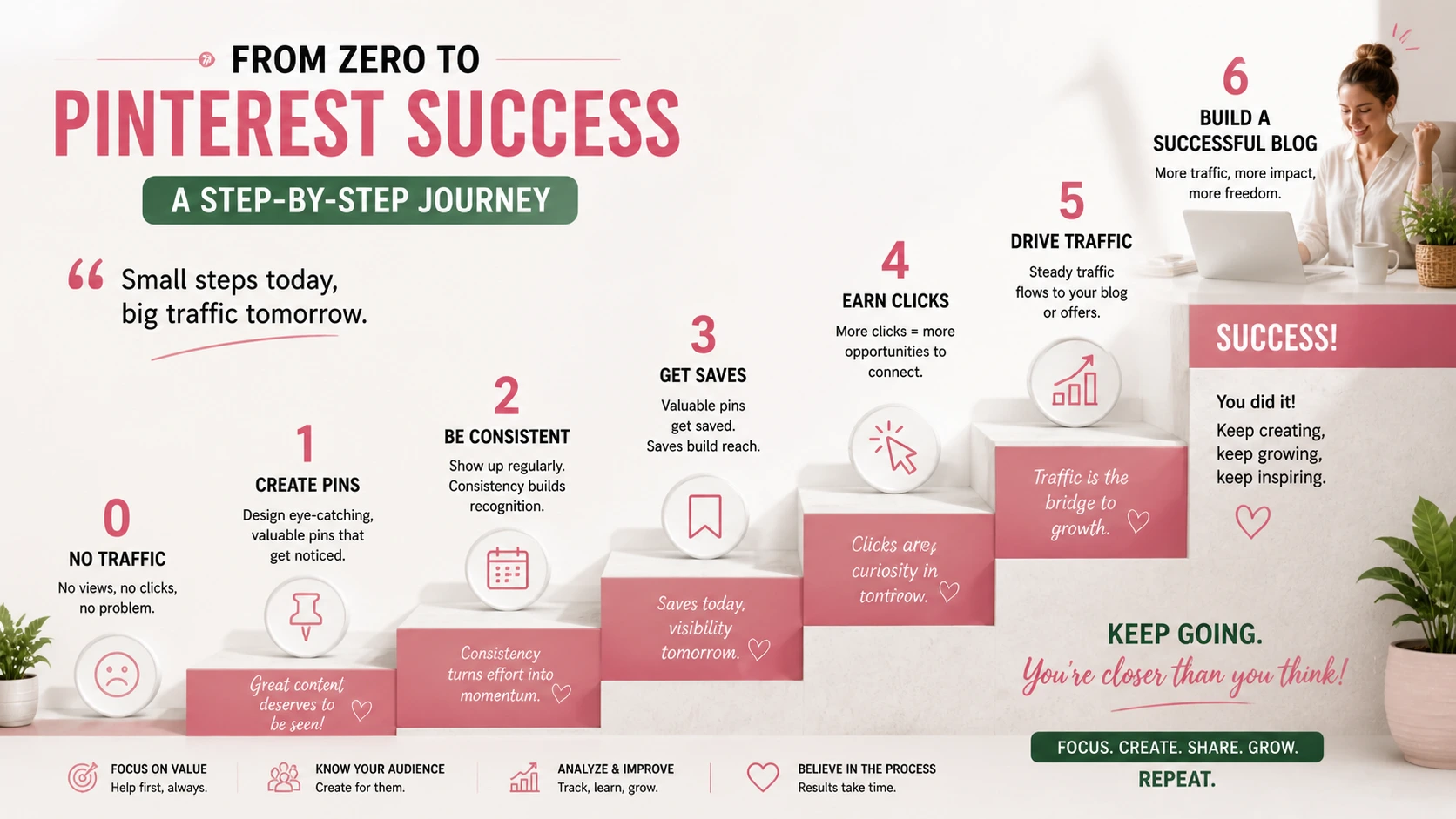
After making a lot of mistakes, I slowly figured out a simple Pinterest Traffic Strategy that actually started working for me. Nothing fancy, just a clear system that I could repeat every week. Here’s exactly what I do now.
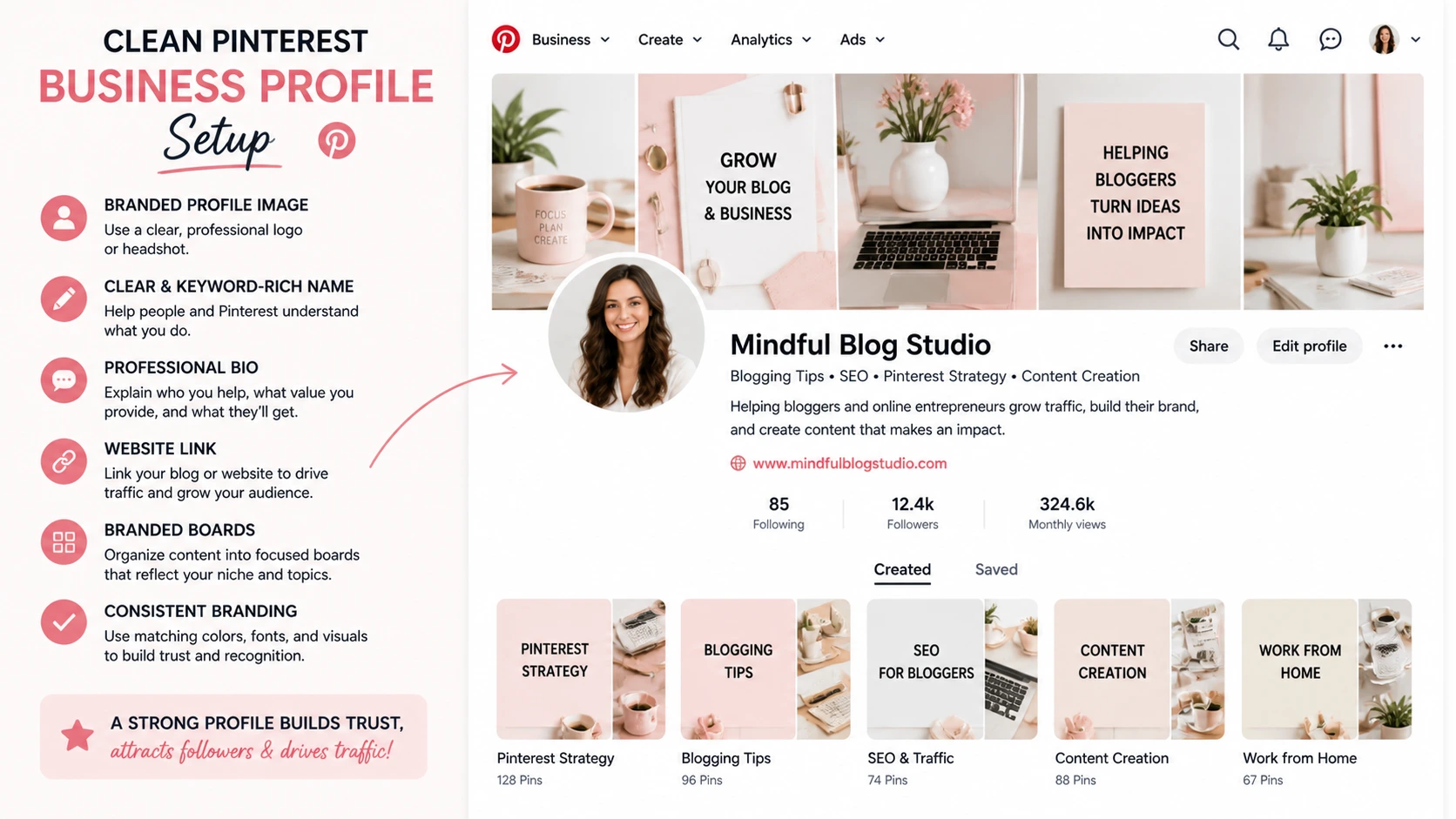
Step 1: Create a Professional Pinterest Business Account
The first thing I did was switch to a proper Pinterest business account instead of using a personal one. This matters more than people think. A business account gives you access to analytics, which shows what’s working and what’s not. You can see which pins are getting impressions, clicks, and saves. That alone helps you improve faster.
I also set up my profile properly—clear name, simple bio, and my blog link. It makes everything look more trustworthy.
Step 2: Find the Right Keywords
Before creating anything, I now focus on keywords first. This is the backbone of the whole strategy.
I go to Pinterest search and type my topic, then I look at the suggestions that appear. Those suggestions are real searches from real users, so they tell me exactly what people want.
For example, instead of guessing topics, I look for phrases like “Pinterest traffic strategy for beginners” or similar ideas. This step makes sure my content is actually discoverable.
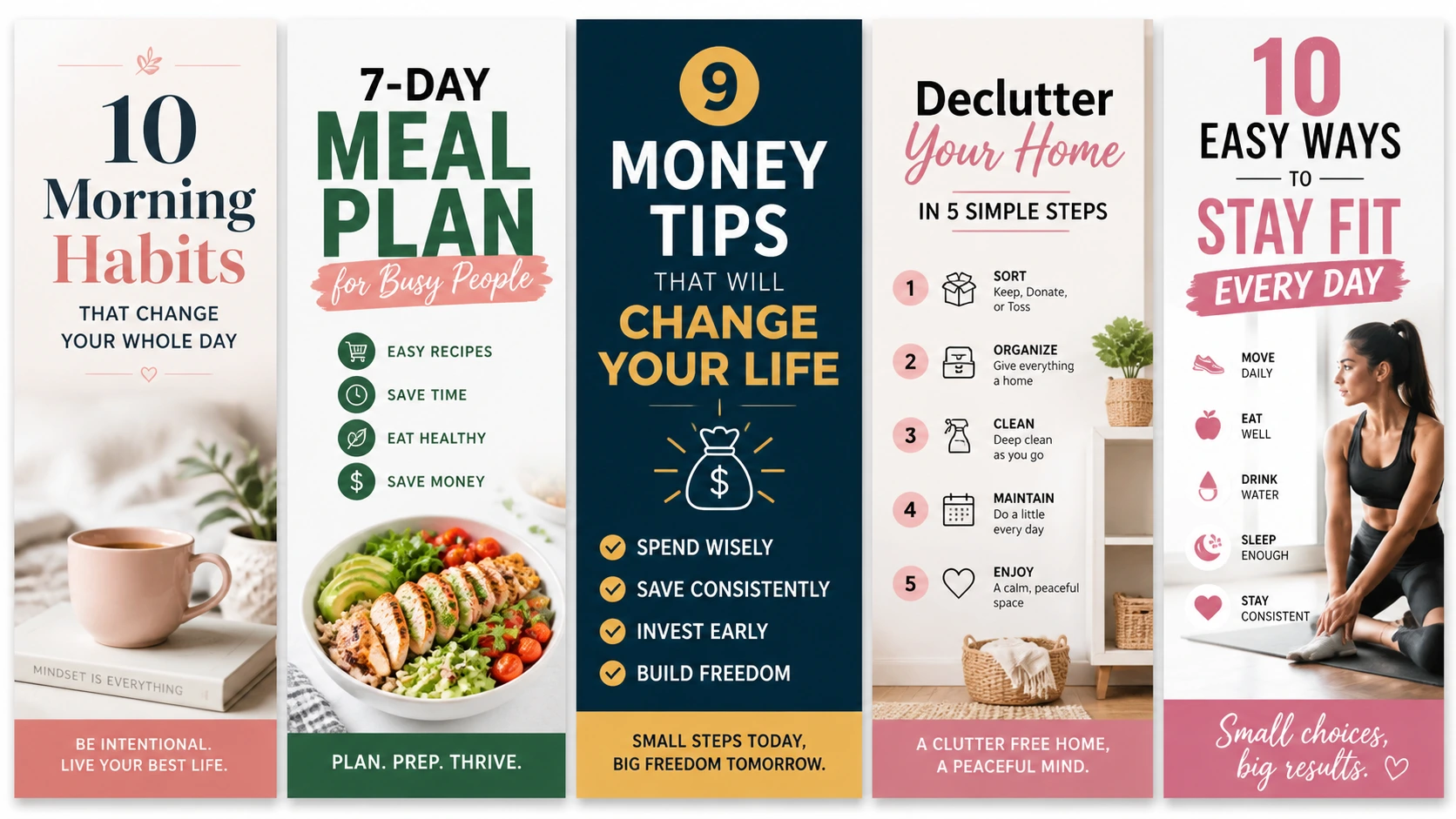
Step 3: Create Click-Worthy Pins
Once I have keywords, I move to design. I don’t overthink it anymore. I keep things simple and clean.
My focus is:
- Clear text that’s easy to read
- Strong title on the image
- Vertical format (because it performs better)
- Simple colors that don’t look messy
The goal is not to make the most beautiful design. The goal is to stop someone from scrolling and make them curious enough to click.
Step 4: Write SEO-Friendly Titles and Descriptions
This step made a big difference in my results. Earlier, I used to ignore descriptions completely, but now I treat them as important as the pin itself. I always include my main keyword naturally in both the title and description. But I don’t stuff it. I just write it in a way that sounds natural and helpful.
For example, I explain what the pin is about and why someone should click it. This helps Pinterest understand the content and show it to the right audience.
Step 5: Link Every Pin to the Right Blog Post
This is something many beginners get wrong. I make sure every pin goes to the exact blog post it is related to. Not the homepage. Not a random page. If the pin is about a specific topic, it must take the user directly to that article.
This improves trust and also increases the chance of getting real blog traffic instead of just views.
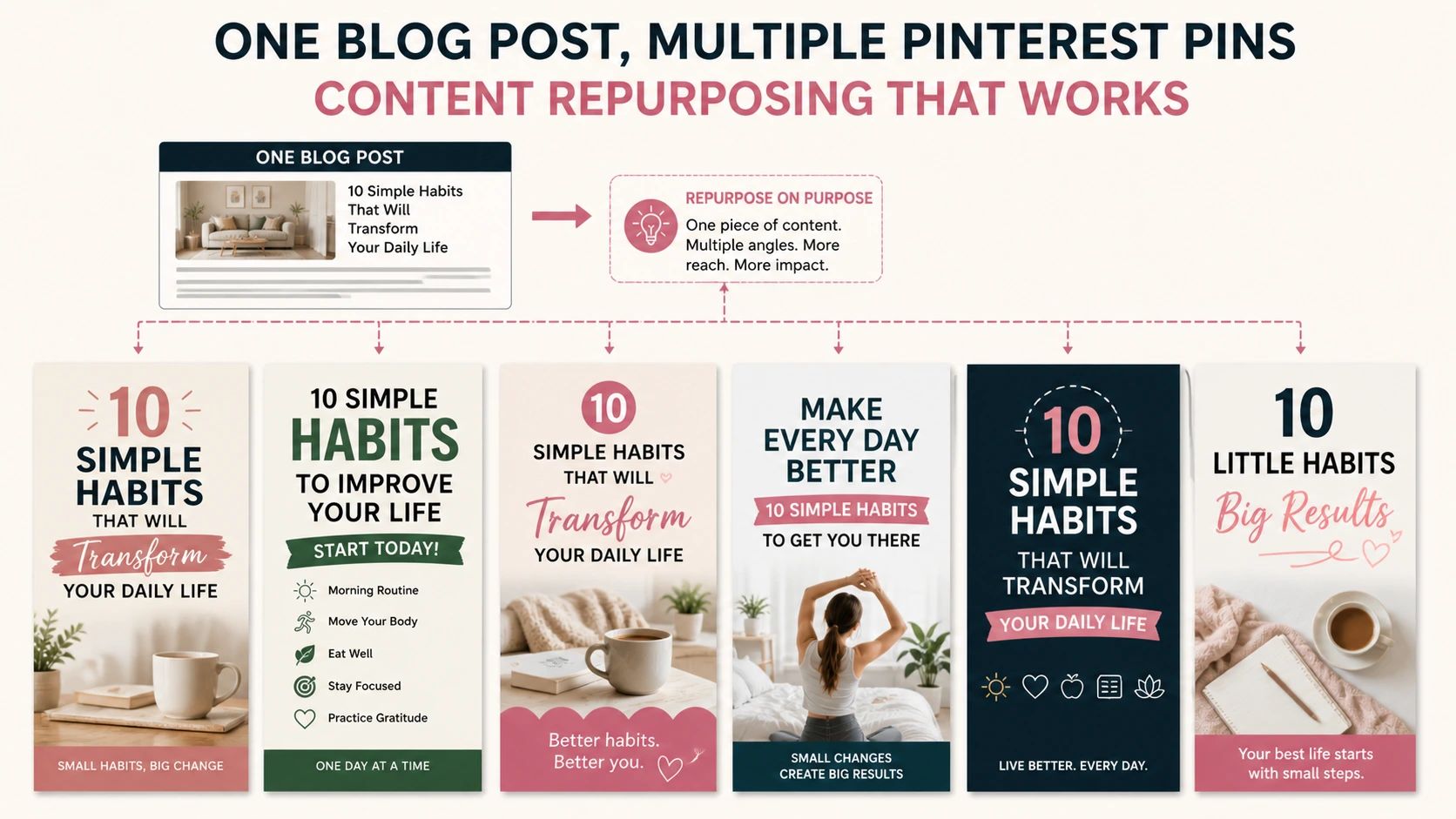
Step 6: Use Multiple Pins for One Blog Post
This step helped me grow faster. Instead of creating just one pin per blog post, I now create multiple pins for the same article. Each pin has Different design, Different title, Same destination link because not every pin performs the same. Some get ignored, while others suddenly start getting clicks.
This gives my blog more chances to be discovered from the same content.
Step 7: Stay Consistent
This is probably the most important step. Pinterest does not give instant results. So I stopped expecting quick success and focused on showing up regularly instead.
Even if I only create a few pins a day, I stay consistent. Over time, this builds momentum. And momentum is what brings results on Pinterest.
Step 8: (Optional) Join Group Boards
I tried group boards in the beginning. They can still help sometimes, especially in active niches, but they are not the main thing anymore.
I don’t depend on them, but I use them as a small extra boost when needed. My main focus is still my own content.
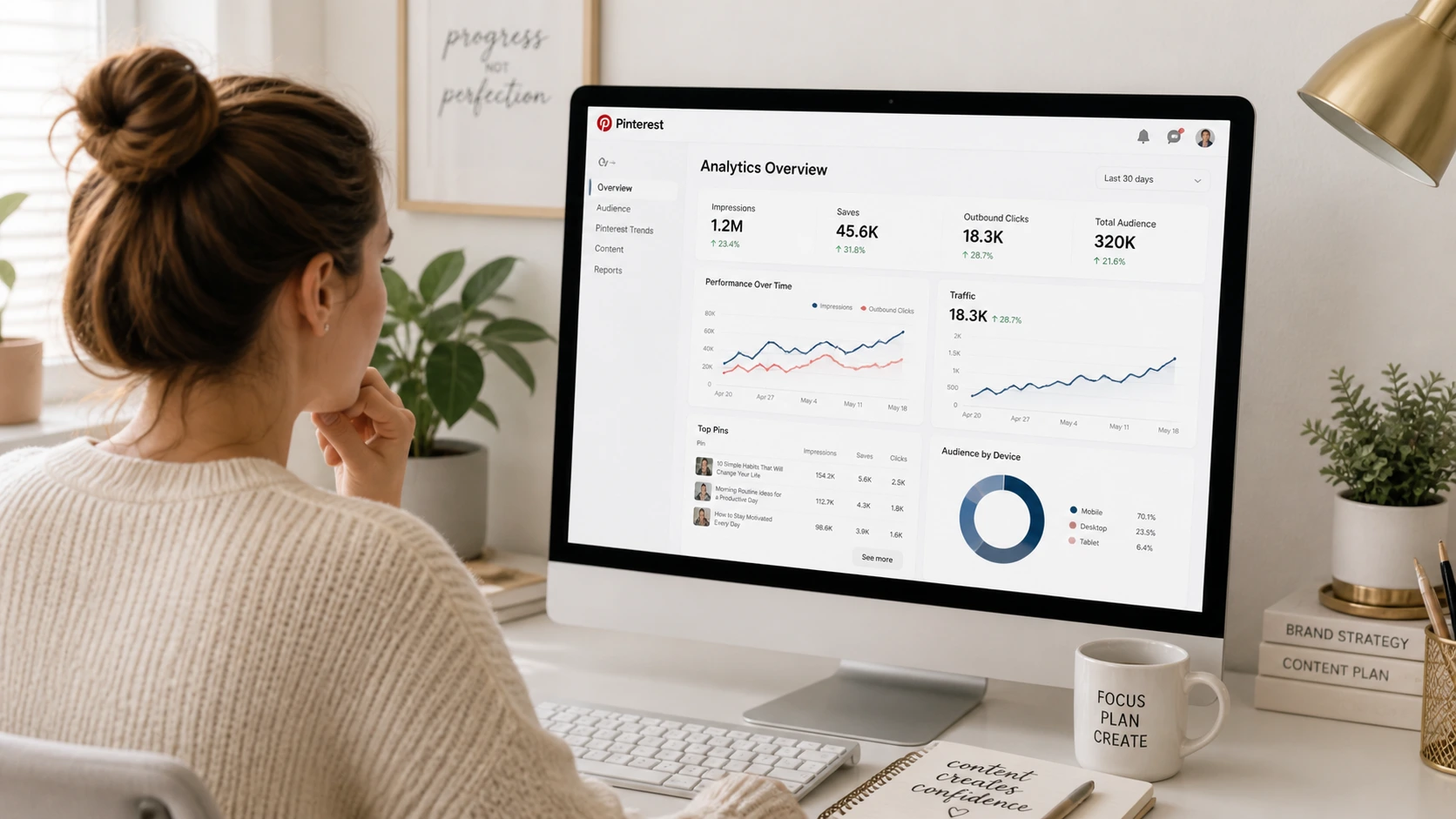
Step 9: Track What Works
This step changed everything for me. I regularly check Pinterest analytics to see what’s working. I look at Which pins get impressions, Which ones get clicks, Which ones get saves. Sometimes I’m surprised. A simple-looking pin performs better than a fancy one. This taught me not to guess—but to learn from data.
Now I improve my strategy based on real results, not assumptions.
Final Thought
This step-by-step system is not complicated, but it works. The biggest change for me was moving from random posting to a proper system.
Once I started treating Pinterest like a search engine and not just a social platform, my results slowly improved and that’s really what a good Pinterest Traffic Strategy is all about—simple steps done consistently over time.
My Real Pinterest Growth Experience
Let me be honest with you.
Pinterest did not bring traffic to my blog overnight, and it definitely didn’t explode in the beginning like I had imagined.
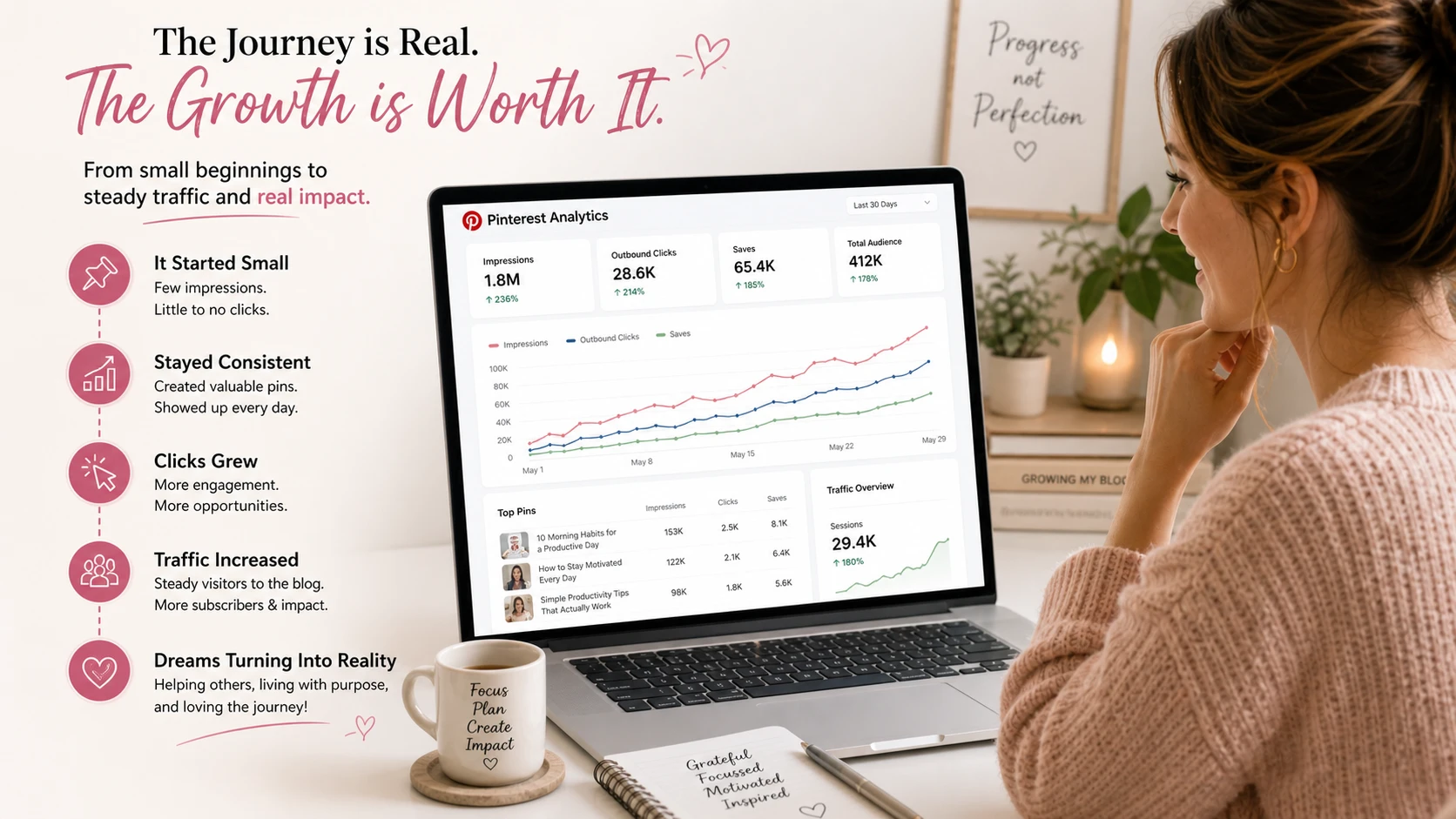
In the first few weeks, the results were almost nothing. I would check my account and see very small numbers. Sometimes just 2–3 clicks in a day. Sometimes even zero. It honestly felt like I was doing all the work for nothing.
At that stage, it was easy to feel like giving up. I still remember how often I used to open Pinterest analytics. It became a habit—almost like checking exam results again and again, hoping something would magically change. But most of the time, there was no real improvement. Some days were completely disappointing.
Still, I didn’t stop. Instead of quitting, I slowly started improving things. I began changing my pin titles to make them more specific. I tested different designs to see what people actually clicked on. I also made sure I was posting more regularly instead of being inconsistent like before.
I didn’t change everything at once. I just kept making small improvements step by step. Then, after around 2–3 months, I started noticing a shift. It wasn’t sudden, but it was real.
Some of my pins started getting impressions. At first, it was just a little increase, but it was enough to notice. Then those impressions turned into saves. And after some time, those saves turned into actual clicks to my blog.
That was the moment everything felt different. Because for the first time, I could see that the system was actually working. Not fast, Not dramatic but steady and real. That experience changed how I look at Pinterest completely.
Today, Pinterest is one of the most reliable traffic sources for my blog. It doesn’t bring traffic in a random way—it brings it consistently when I follow the right Pinterest Traffic Strategy and if I’m being honest, I really wish I had taken it seriously much earlier.
Best Content Types for Pinterest Traffic
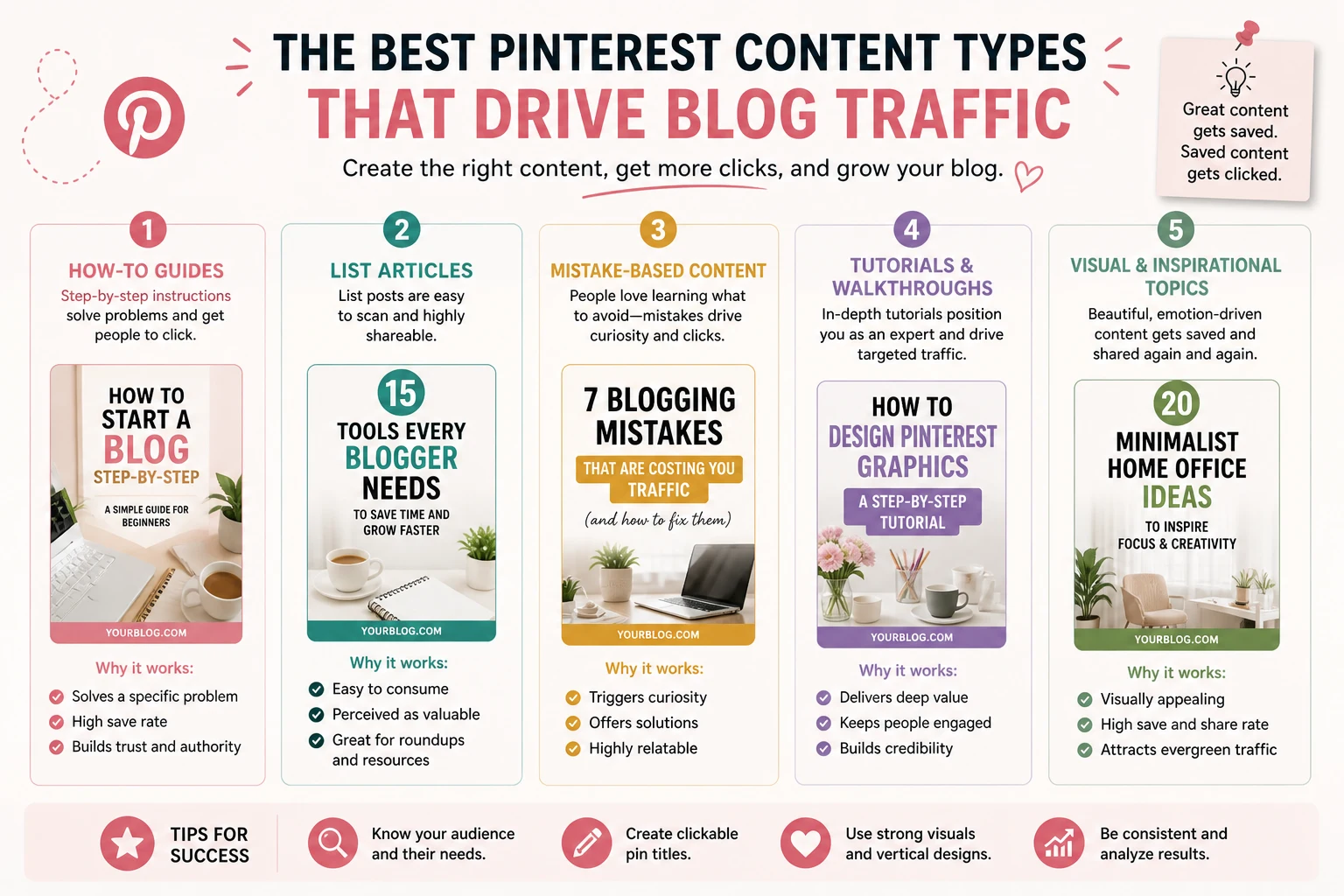
Not every type of blog content performs the same on Pinterest. Some topics naturally get more clicks, saves, and shares because people are already searching for them in a “solution + idea” mindset.
After testing different types of posts, I noticed that a few formats consistently bring better results. These are the ones that actually work well with a Pinterest Traffic Strategy.
1. How-To Guides
How-to content is one of the strongest performers on Pinterest. People go to Pinterest when they want to learn how to do something. They are not just browsing—they are looking for clear steps or solutions. For example: “How to Start Blogging” or “How to Grow Pinterest Traffic.”
These types of posts work well because they directly solve a problem. When your pin promises a clear outcome, people are more likely to click.
2. List Articles
List-style content also performs really well. Anything that is structured as a list is easy to understand and quick to consume. For example: “10 Best Blogging Tools” or “7 Ways to Make Promote Blog.”
People like lists because they feel simple and organized. They also make great pin titles because you can clearly show value in a short line.
3. Mistake-Based Content
Content that focuses on mistakes grabs attention very quickly. For example: “7 Blogging Mistakes Beginners Make” or “Pinterest Mistakes That Stop Your Traffic.”
This type of content works because it creates curiosity. People naturally want to know what they are doing wrong and how to fix it. It also feels personal, which increases clicks.
4. Step-by-Step Tutorials
Step-by-step posts are very effective because they feel practical and easy to follow. For example: “Pinterest Traffic Strategy for Beginners” or “How to Create a Blog Step by Step.”
These posts perform well because users feel like they are getting a clear roadmap. It reduces confusion and increases trust. When your pin clearly shows a step-by-step promise, people are more likely to save it or click through.
5. Visual or Lifestyle Topics
Some niches naturally perform better on Pinterest because they are highly visual. This includes topics like recipes, fitness, fashion, home decor, beauty, and lifestyle content.
These work well because Pinterest started as a visual discovery platform. People enjoy saving ideas they can see, not just read. Even if your blog is not purely visual, you can still present ideas in a visual way to improve performance.
Common Mistakes to Avoid
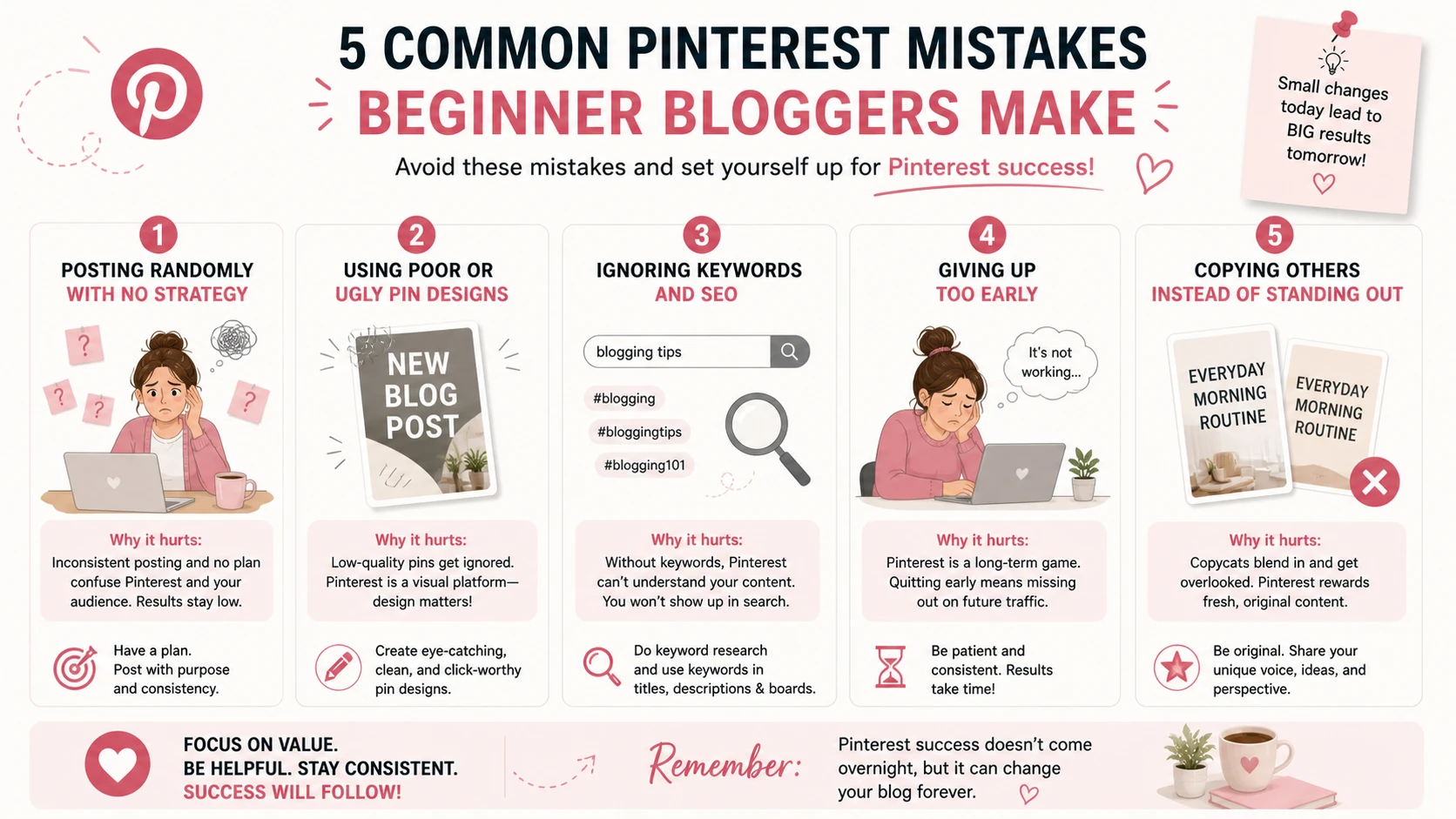
If you are trying to build traffic with Pinterest, these mistakes can slow you down a lot. I made most of them in the beginning, and they are exactly the reason my growth was so slow at first.
The good thing is—once you understand them, you can avoid wasting time and start seeing better results with your Pinterest Traffic Strategy.
Posting Without Strategy
This is one of the biggest mistakes beginners make. They just post pins whenever they feel like it, without any real plan. One day they post a lot, then nothing for a week, and they expect results.
But Pinterest doesn’t work on random effort. When there is no strategy, there is no direction. And when there is no direction, results also become random. If you want consistent traffic, you need a clear system for what you are posting, why you are posting it, and who it is for.
Ignoring Keywords
This is another major mistake. Pinterest is not just a design platform—it is a search engine. That means keywords matter a lot. If you ignore keywords, your pins will not show up in search results, no matter how good they look.
Many beginners focus only on visuals and completely forget about SEO. But without keywords in your titles and descriptions, Pinterest cannot understand your content properly.
Once I started focusing on keywords, my reach improved noticeably.
Ugly or Confusing Pin Design
Design plays a big role in clicks. Even if your content is good, people will not click if the pin doesn’t grab attention. If the text is hard to read, colors are messy, or the layout looks confusing, users will simply scroll past it.
You don’t need fancy designs, but you do need clean and clear ones. A simple pin with strong text often performs much better than a complicated design. Because on Pinterest, attention is everything.
Giving Up Too Early
This is probably the most common mistake of all. Many people try Pinterest for a few days or weeks, don’t see results, and quit. But Pinterest doesn’t work like instant platforms. It takes time for your content to build visibility and trust.
In my case, I didn’t see meaningful traffic for the first couple of months. It was slow and sometimes discouraging.
But the results came later, not immediately. If you stop too early, you never reach the stage where Pinterest actually starts working.
Copying Others Blindly
It’s good to learn from others, but copying everything exactly is not a good long-term approach. Many beginners see successful pins and try to copy the design, titles, and style without understanding why it works.
The problem is, what works for someone else may not work the same way for you. Instead, you should observe patterns—like keywords, formats, and design styles—and then build your own version.
Your Pinterest Traffic Strategy should feel like your own system, not a copy of someone else’s work.
Tools I Personally Use
One thing I learned early is that you don’t need a lot of expensive tools to succeed with Pinterest. In fact, most of my progress came from using very simple, free tools consistently. A strong Pinterest Traffic Strategy is less about tools and more about how you use them.
Here are the main tools I personally rely on.
Canva
Canva is the main tool I use for creating Pinterest pins. It’s simple, beginner-friendly, and you don’t need any design experience to use it. I started with basic templates and slowly learned how to improve my designs over time.
What I like most about Canva is that it saves a lot of time. You can just pick a template, change the text, adjust colors, and your pin is ready in minutes.
For me, the goal is not to create perfect designs, but clean and readable ones that people can understand quickly. Canva makes that very easy.
Pinterest Search
Pinterest search itself is one of my most important tools for keyword research. Before creating any pin, I simply go to Pinterest and start typing my topic. The search suggestions that appear are extremely useful because they show real things people are actively searching for.
This helps me understand what topics are trending and what kind of phrases I should use in my titles and descriptions. Honestly, I don’t rely on complex keyword tools for Pinterest. This alone is powerful enough for most beginners.
Google Trends
Google Trends helps me understand whether a topic is growing or losing interest over time. Sometimes a topic might look good on Pinterest, but if it’s not popular anymore, it won’t perform well long-term.
So I use Google Trends to quickly check if people are still interested in that topic. It’s not something I use for every pin, but it’s helpful when I’m choosing new blog ideas or planning content in advance.
Scheduling Tools
Scheduling tools are not required, but they make consistency much easier. In the beginning, I used to post everything manually, which sometimes led to inconsistency. Later, I realized that scheduling helps me stay regular even on busy days.
It allows me to plan my pins in advance so I don’t have to think about posting every single day. That said, I still believe scheduling is optional. You can succeed without it if you stay consistent manually.
My Simple Weekly Pinterest Routine
Over time, I realized that Pinterest doesn’t need a complicated system. In fact, the simpler your routine is, the easier it becomes to stay consistent.
Now I follow a very basic weekly routine that keeps my Pinterest Traffic Strategy on track without feeling overwhelming.
Publish or Update Blog Post
Every week, I either publish a new blog post or improve an old one. This is important because Pinterest needs fresh or useful content to promote. If you are not adding new content or updating old posts, there’s not much for your pins to point to.
Even small updates to old articles can help them perform better again on Pinterest.
Create 3–5 Fresh Pins
Instead of trying to create too many pins, I focus on making just a few good ones. Usually, I create around 3 to 5 fresh pins per week. Each pin is designed for a specific blog post, with a clear message and keyword-focused title.
I’ve learned that quality matters more than quantity. A few strong pins can perform better than dozens of random ones.
Write Keyword-Friendly Titles
Before finalizing any pin, I make sure the title includes the right keywords. I don’t overthink it, but I do check what people are actually searching for on Pinterest.
This helps my pins appear in search results and reach the right audience. A good title is simple, clear, and directly matches user intent.
Check Analytics
Once a week, I spend some time looking at Pinterest analytics. I don’t obsess over it daily anymore, but weekly checks help me understand what’s working and what’s not.
I look at impressions, saves, and clicks to see which pins are performing better. This helps me make smarter decisions instead of guessing.
Improve Old Pins if Needed
One thing that really helped me grow is not just focusing on new pins, but also improving old ones. If a pin is not performing well, I try changing the title, improving the design, or updating the description.
Sometimes small changes can make a big difference. Pinterest often rewards refreshed content, so this step is very useful.
Final Thoughts
If you are just starting your blogging journey, Pinterest can honestly change the way you get traffic. But only if you take it seriously from the beginning. Not like a place where you randomly upload images whenever you feel like it.
Not like another social media app where you just post and forget.
Instead, treat it as a proper Pinterest Traffic Strategy—a system that can bring real, long-term visitors to your blog. That’s the mindset shift that makes all the difference. I didn’t understand this at first. I treated Pinterest casually, made random pins, and expected results without a clear plan. Because of that, my growth was slow and inconsistent. But over time, through trial, mistakes, and a lot of testing, I slowly learned how it actually works.
And honestly, that process taught me more than any tutorial could. Because when you struggle, experiment, and fix things yourself, the lessons stick. If there is one thing I would tell my earlier self—or any beginner—it would be this:
👉 Start early and stay consistent.
Don’t wait for everything to be perfect. Don’t wait until you feel “ready.” Just begin.
Because Pinterest doesn’t reward quick effort. It rewards long-term consistency. The small things you do today—like creating a pin, using the right keyword, or posting regularly—don’t always show results immediately.
But weeks or months later, they start building up. And suddenly, you wake up one day and see traffic coming in without you doing anything extra that day. That’s the powerful part of Pinterest.
So if you’re serious about blogging, don’t ignore it. Build your Pinterest Traffic Strategy step by step. Stay patient, Keep improving. And trust the process—even when results feel slow at the start. Because in the long run, Pinterest can quietly become one of your most reliable traffic sources.
Frequently Asked Questions (FAQs)
1. Is Pinterest good for blog traffic?
Yes, Pinterest is one of the best platforms for driving blog traffic, especially if you’re a beginner. It works like a visual search engine, so your content can keep bringing visitors for a long time.
2. How long does Pinterest take to bring traffic?
It usually takes a few weeks to a few months. Results depend on how consistent you are and how well your pins are optimized.
3. Do I need a business account?
Yes, a Pinterest business account is better because it gives you access to analytics, performance tracking, and better growth tools.
4. Can blogging niche work on Pinterest?
Yes, blogging works very well on Pinterest. Topics like blogging tips, SEO, and online income perform especially well when presented visually.
5. How many pins should I post daily?
Even 1–3 quality pins per day is enough. Consistency matters more than posting a large number at once.
6. Is Pinterest SEO important?
Yes, very important. Pinterest depends heavily on keywords, so using the right terms helps your pins appear in search results.
7. Can I use one pin for all posts?
No. Each blog post should have its own relevant pins. This improves clarity and increases chances of getting clicks.
8. What size is best for Pinterest pins?
The best size is vertical format, usually 1000 × 1500 pixels. This fits well on Pinterest and performs better in feeds.
9. Should I join group boards?
It’s optional. Group boards can help in some niches, but your own consistent content is more important.
10. Is Canva good for Pinterest pins?
Yes, Canva is one of the easiest and most beginner-friendly tools for creating Pinterest pins.
11. Can Pinterest help with AdSense approval?
Indirectly, yes. Pinterest can bring traffic and engagement to your blog, which may help improve overall site quality.
12. Are hashtags important on Pinterest?
They are less important than keywords. Focus more on titles and descriptions, but hashtags can still provide slight support.
13. Can old pins still bring traffic?
Yes, old pins can keep bringing traffic for months or even years if they are optimized well.
14. What content performs best on Pinterest?
How-to guides, list posts, mistake-based content, and step-by-step tutorials usually perform the best.
15. Should I manually pin every day?
You can, but using scheduling tools can help you stay consistent without daily manual effort.
16. Is Pinterest better than Instagram for traffic?
For direct blog traffic, yes. Pinterest works better because it is search-based, not just social.
17. Can beginners succeed on Pinterest?
Yes, beginners can succeed if they stay consistent and follow a proper Pinterest Traffic Strategy.
18. How do I find keywords?
Use Pinterest search suggestions, explore trending pins, and study what your competitors are using.
19. Should I create multiple pins per post?
Yes, creating multiple pins for one blog post increases visibility and gives better chances of getting traffic.
20. What is the biggest Pinterest mistake?
The biggest mistake is giving up too early. Pinterest takes time, but results grow steadily with consistency.